
Why do I need the Flex Query?
To create your eSteuerauszug, we need an export of your financial data. You download it directly from Interactive Brokers — this way you stay in full control of what data you share with us, and we never need direct access to your account.
Step-by-step: Create your Flex Query
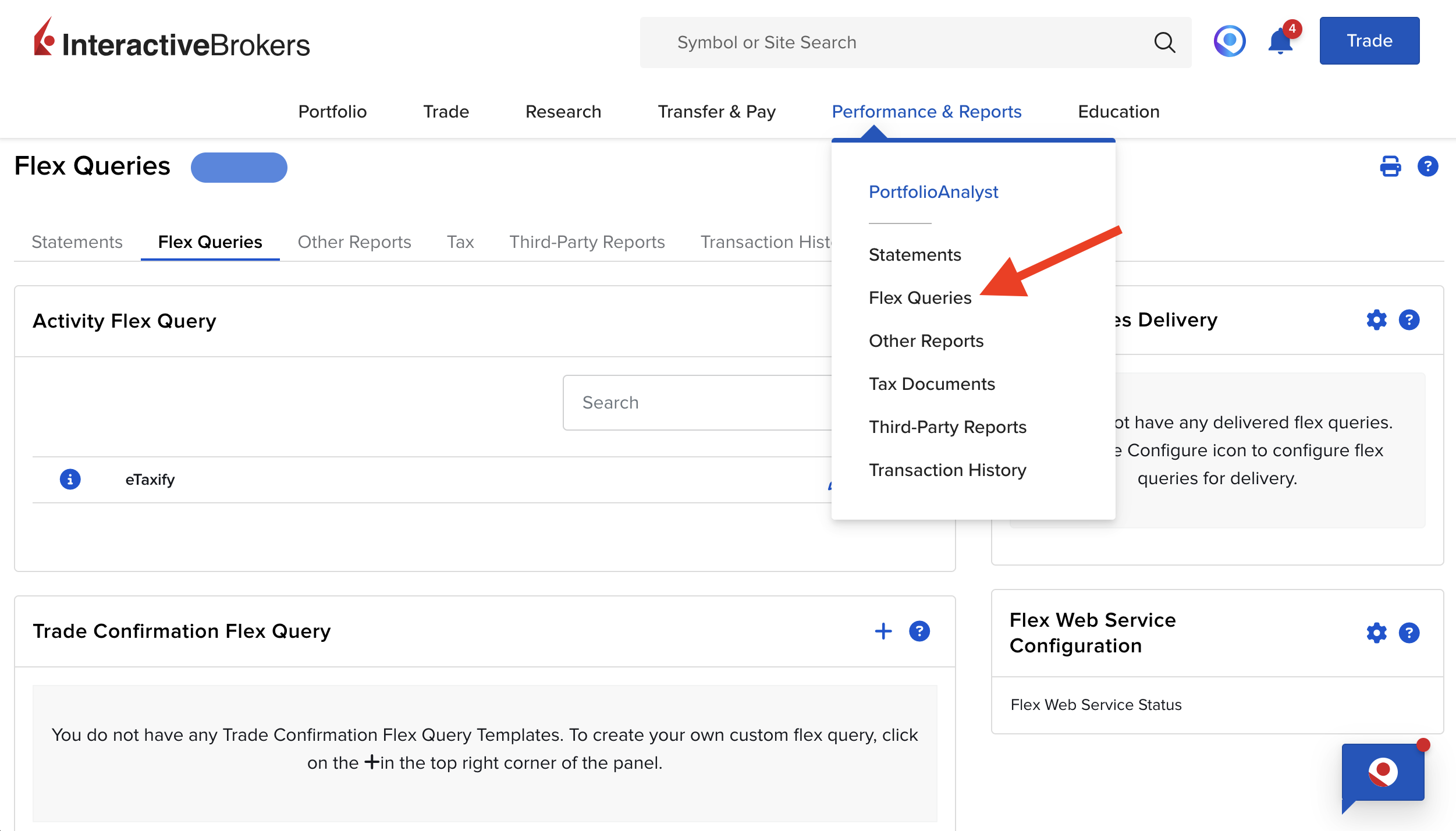
Step 1: Open Flex Queries
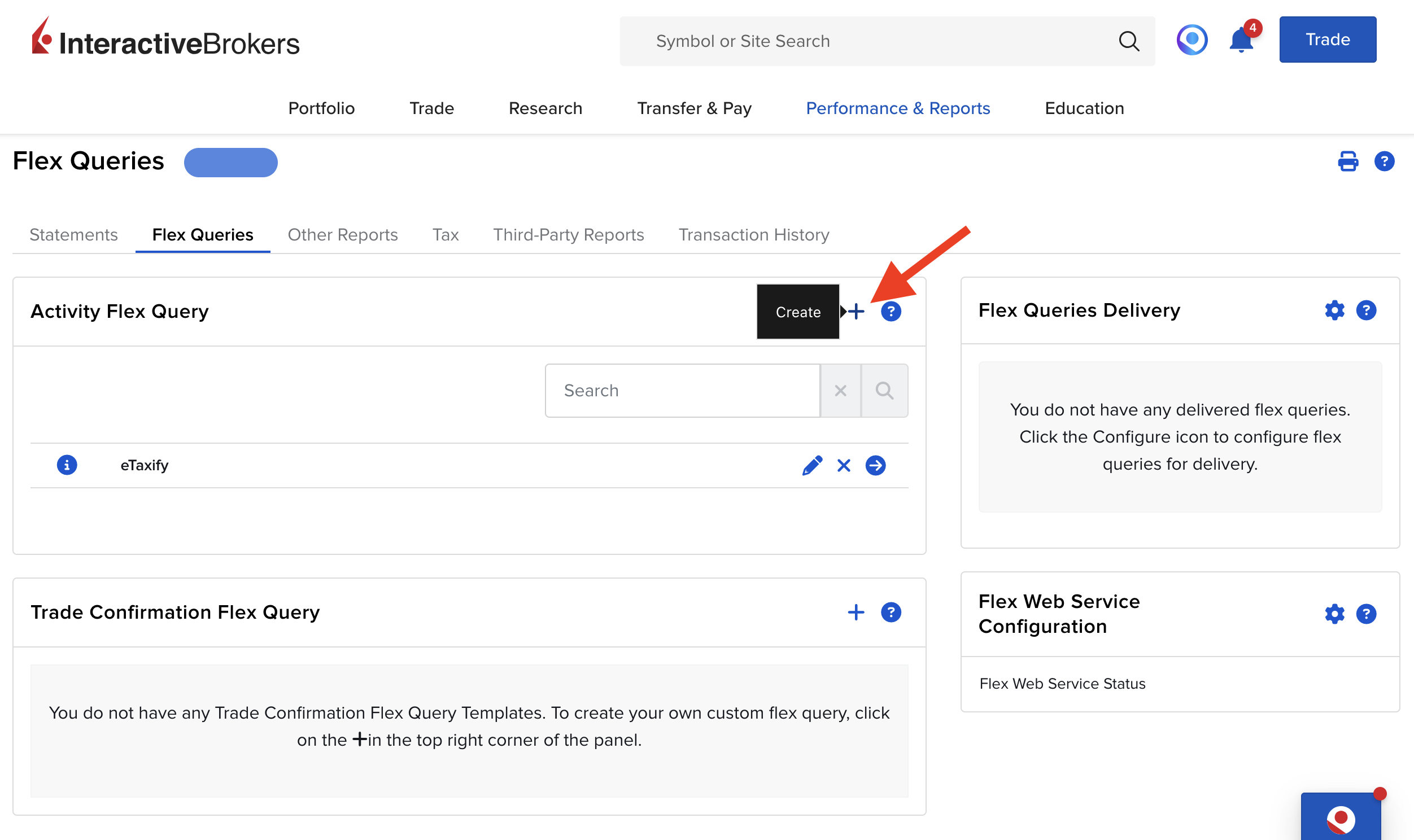
Step 2: Create a new Flex Query
Step 3: Name your report
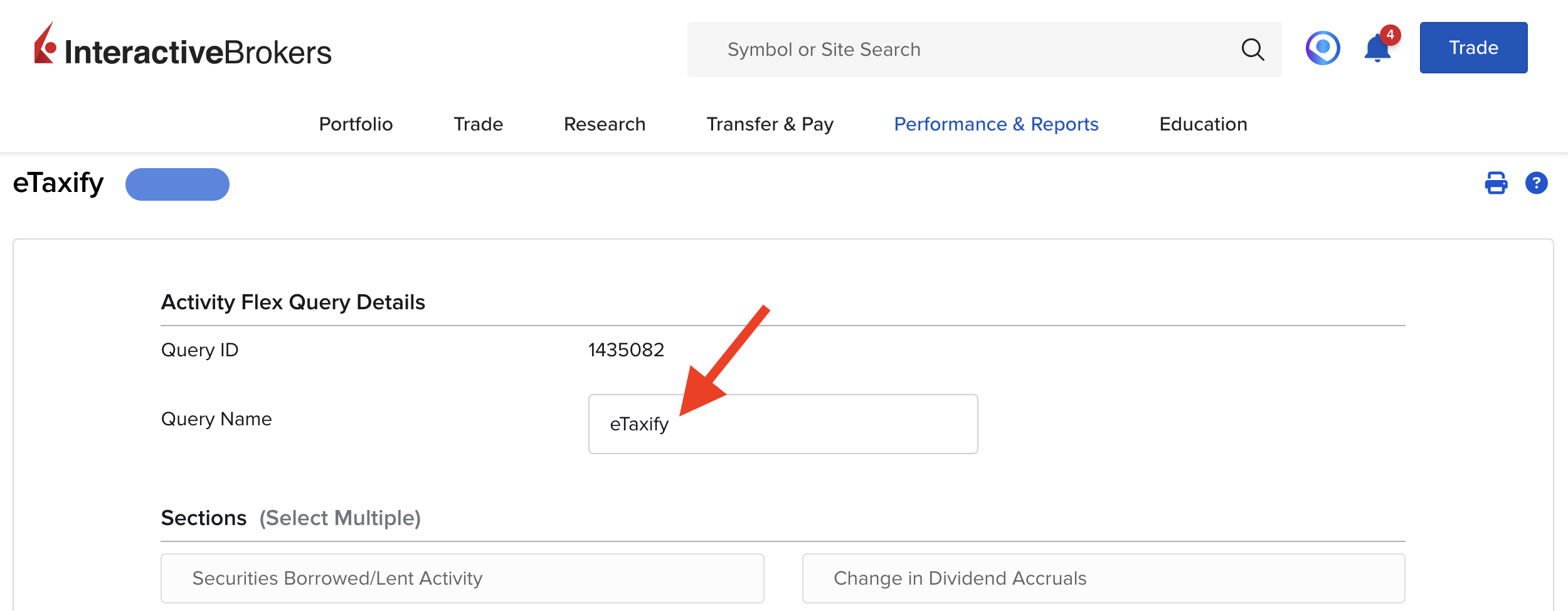
Step 4: Add account information
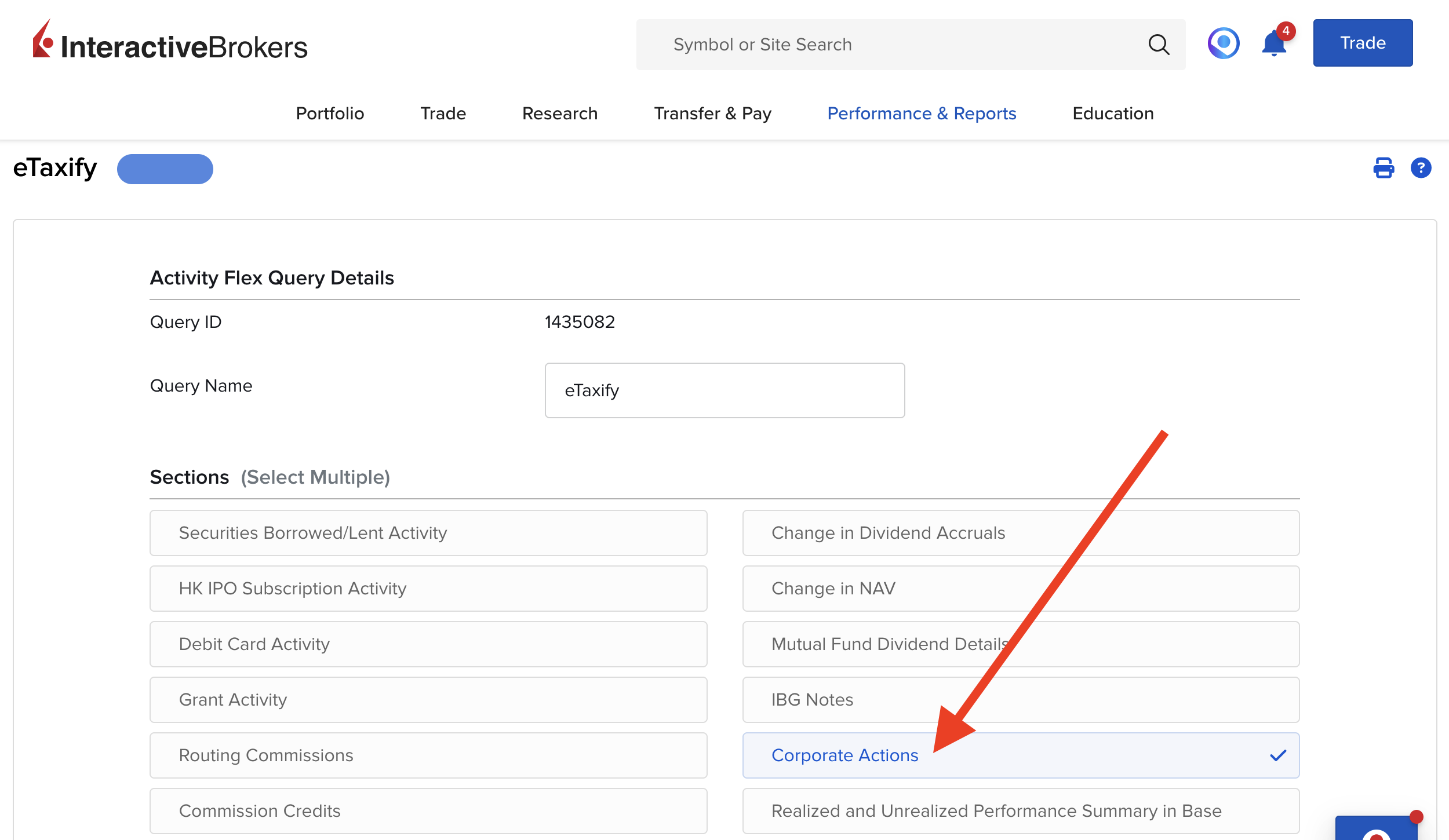
Repeat the following steps for each of these sections:
1. Select the section
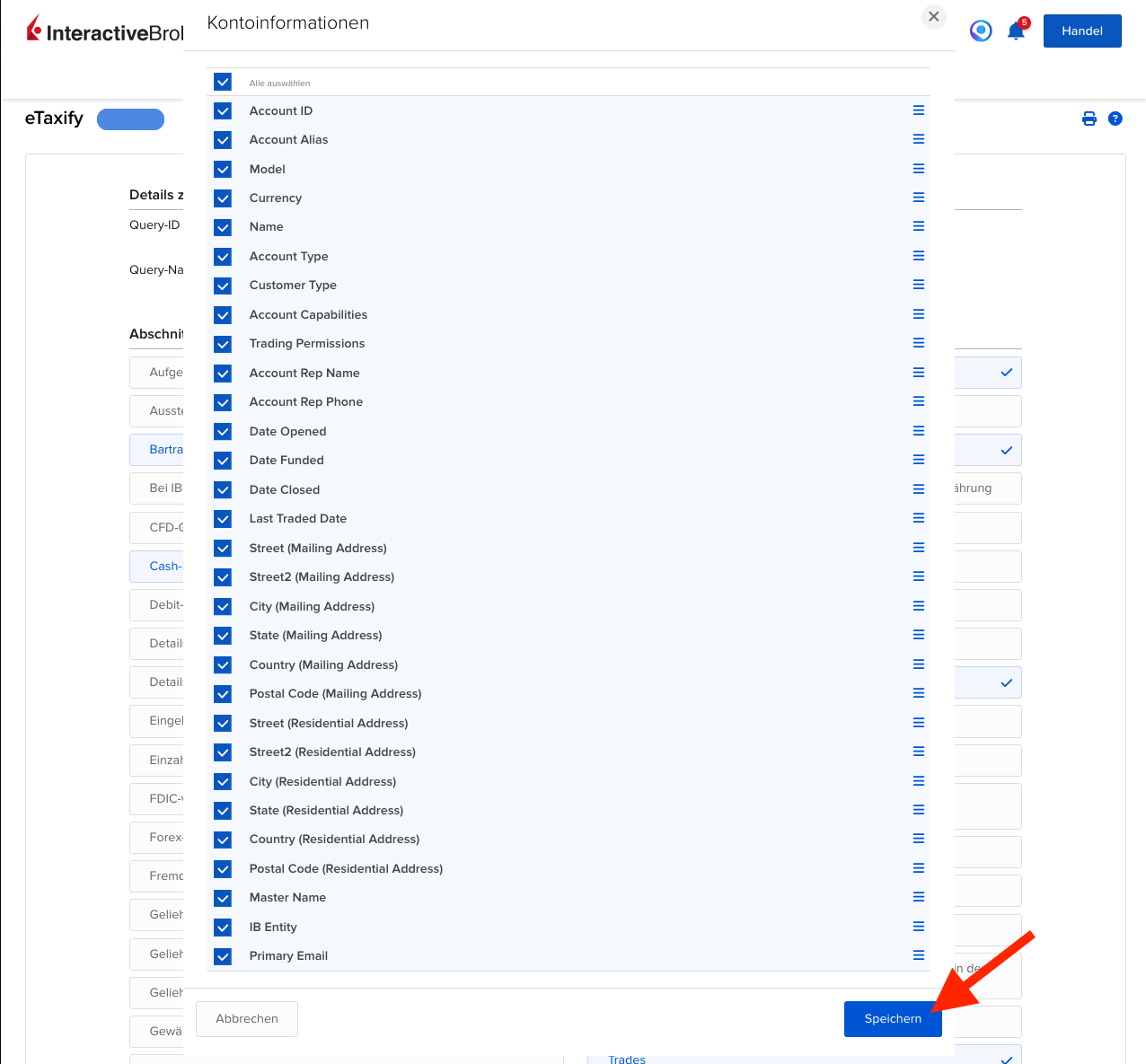
2. Select all fields and save
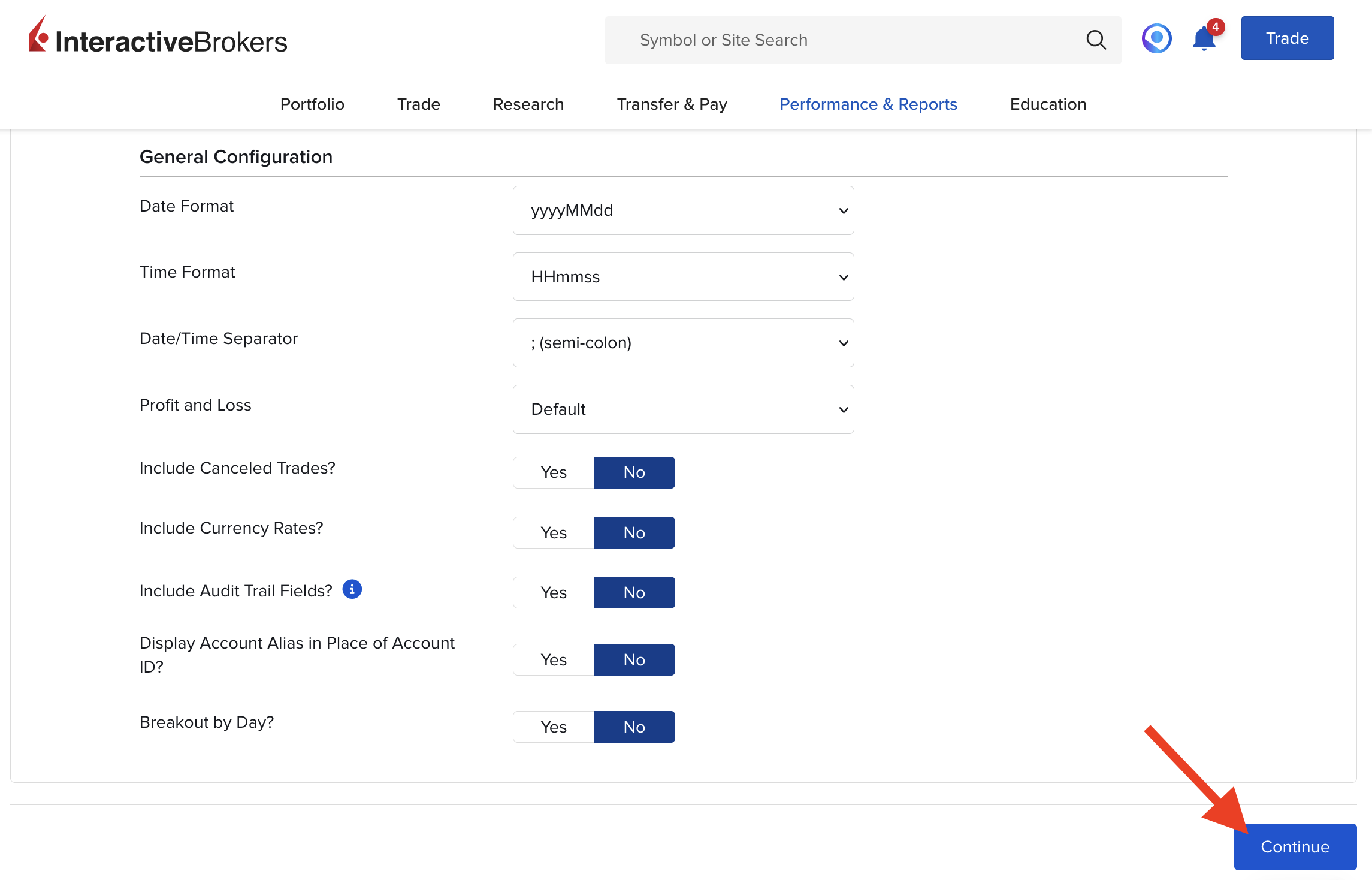
Step 5: Finish
Other fields do not need to be changed. You can finish and save.
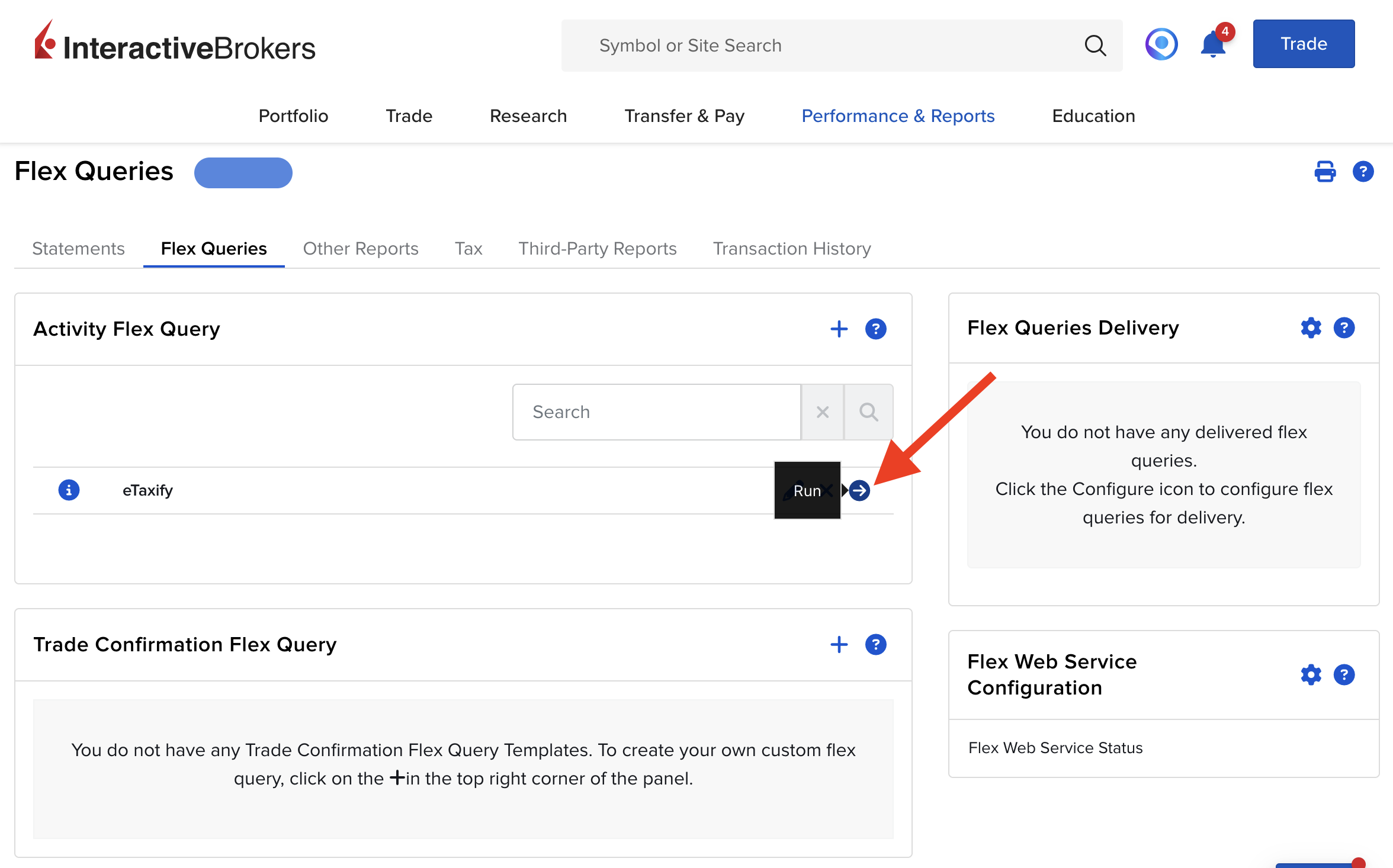
Step 6: Run the Flex Query
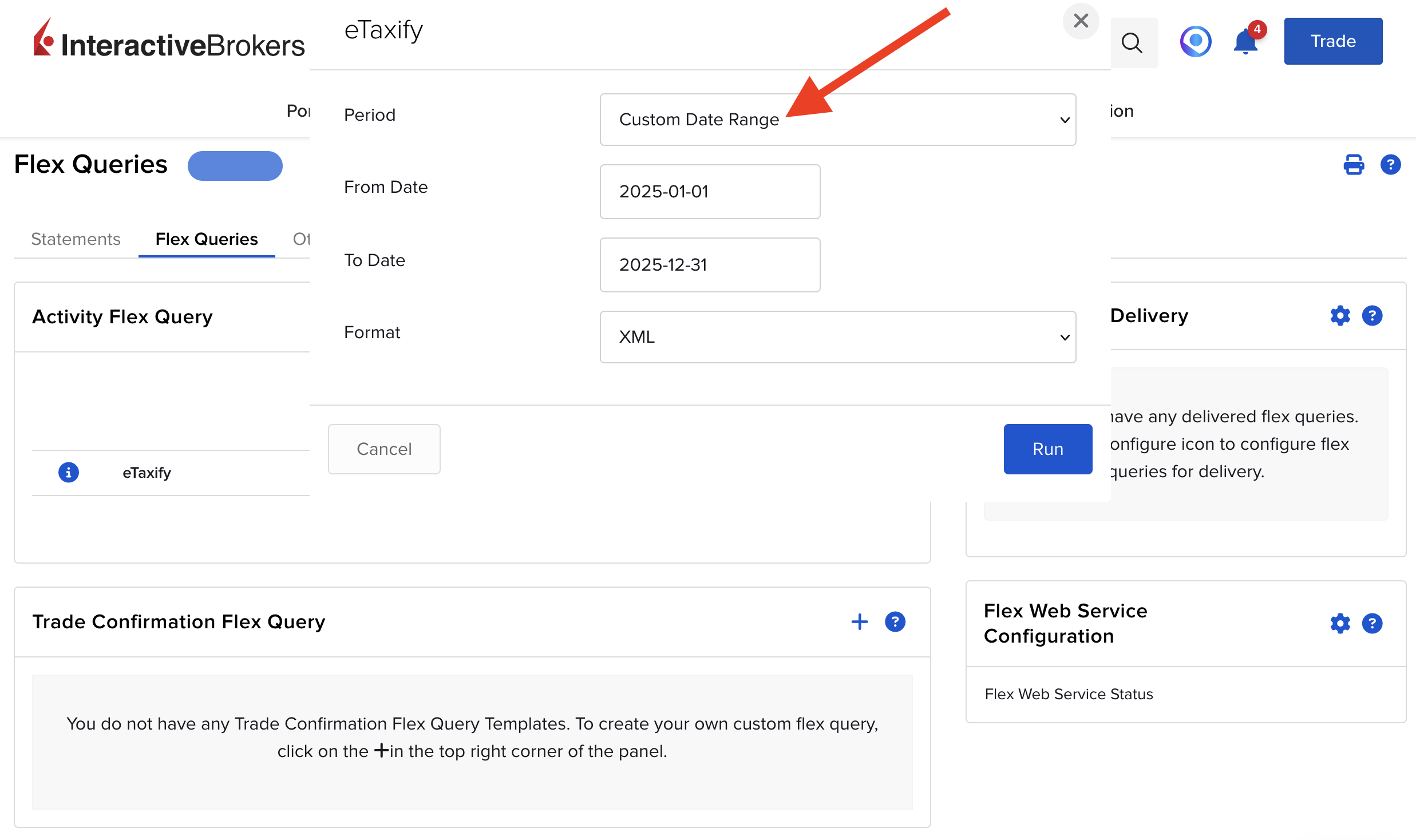
Step 7: Select the entire last year manually
This step is particularly important. We can only create the eSteuerauszug for the period you select. The format should already be set to XML.
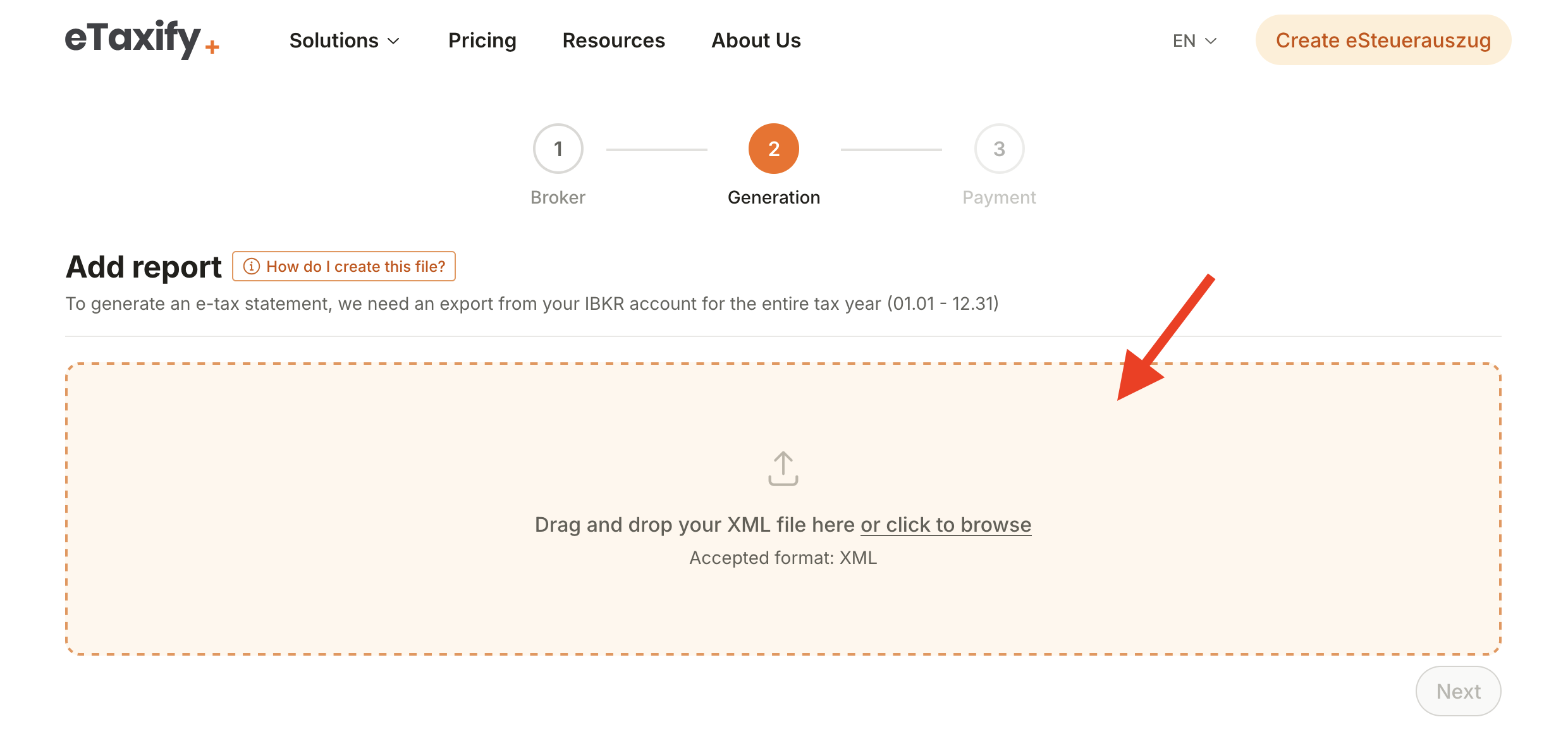
Step 8: Upload to eTaxify
Once you have your Flex Query XML file, the rest is simple. Go to eTaxify, upload the XML file, and we take care of everything else.
What happens next?
We take care of everything else. We parse every transaction, map each security to its Swiss valor number and ISIN, apply the correct year-end exchange rates, and produce a fully compliant eCH-0196 eSteuerauszug — the same format your Swiss bank would provide. The result is a PDF with embedded tax data that you can import directly into your canton's tax software with a single click. No manual data entry, no transcription errors, no wasted time. Your Interactive Brokers portfolio is treated exactly like a Swiss bank account in your tax return.
Ready to create your eSteuerauszug?
Upload your IBKR Flex Query XML and receive your eSteuerauszug in minutes.
Create eSteuerauszug